|
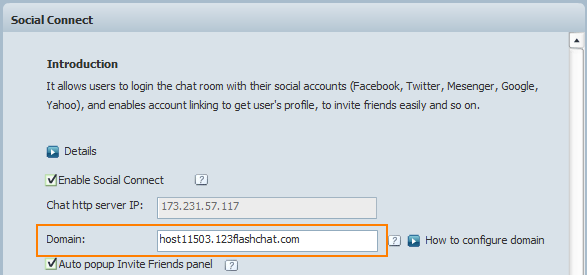
Features How to Configure Domain?The main goal of configuring domain is to ensure the communication between the chat and the social networks. The chat can get chat server IP automatically but not the domain, that's why you have to fill it in manually. 1.Configure domain in chat admin panelLogin admin panel-> Social Connect, here you can see the auto-detected chat server IP, just enter the corresponding domain to the IP, or assign a new domain to the IP. No IP detected yet? It's very likely that your chat server can't be accessed from Internet. Please resolve it first, and you may contact our technical support for help.
2. Configure domain in social networks, too.2.1 Configure domain on Facebook 2.2 Configure domain on Twitter 2.3 Configure domain on Google 2.4 Windows Live Messenger 2.5 Yahoo |

| |||||||
 |