|
User Manual
|
||||||
|
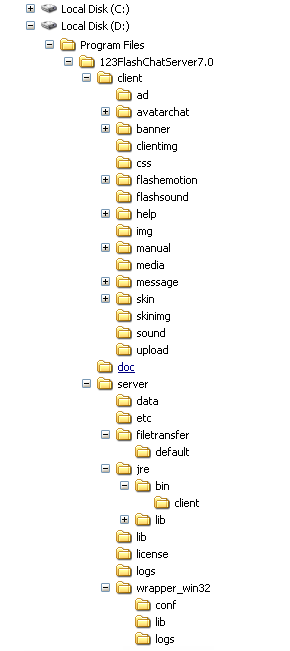
Installation and UpgradeTwo main versions for 123 Flash Chat Server Software are available, one is for Windows and the other for Linux. Both include J2SDK5.0. For operating systems other than Windows or Linux, before installing 123 Flash Chat Server, J2SDK5.0 must be downloaded by visiting http://java.sun.com and installed. The installation steps: 1. Installing the chat server 2. Configuring a web server and embed the chat client to your webpage It contains the following folders:
Related links:
|
||||||
 |
 |



About Us | Contact us | Company Blog | Partnership | Affiliate | Forum | Privacy policy | Terms of Use | SiteMap | Links
Call Sales Now! USA 408-728-6398, UK +44-20-3286-1986, HK +852-8121-1988
Share 123 Flash Chat: 
Copyright © TopCMM Software Limited 2001-2016 All Rights Reserved.
Powered by Greek-Chat.gr