Youtube Plugin in 123 Flash Chat
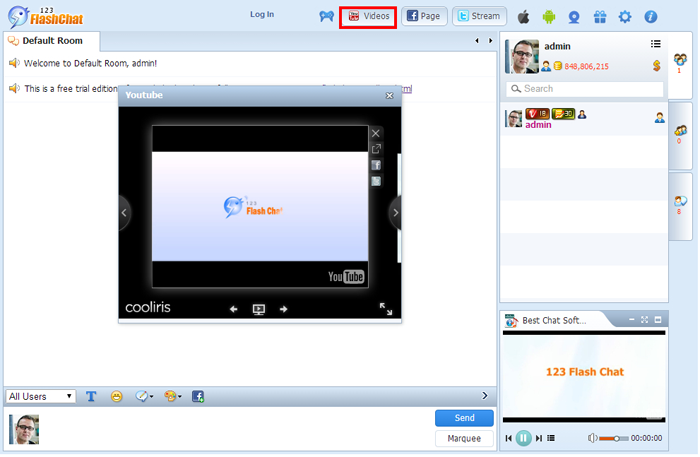
There is a Youtube plugin which locates at the top of room inside HTML 5 Chat Client with which you can promote your own Youtube Videos there. Members can click the "videos" button after which a new window will pop up displaying all of your videos; Choose any of them to watch! Easy and convenient.
Customize the Youtube Plugin
The default Youtube Video with 123 Flash Chat Account there can be customized to be your own.
You can follow below instructions to do this.
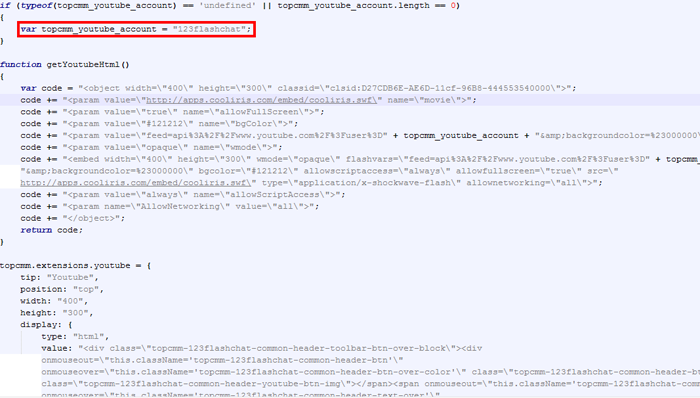
Open file config.js under your <123flashchat client folder><htmlchat folder>\extensions\youtube\init.js.
Find below sentence.
var topcmm_youtube_account = "123flashchat";
Then change the account to be yours.
Remove Youtube Plugin
123 Flash chat Youtube plugin is removeable. If you think this plugin can not promote your chat, you can choose to remove it.
Follow below instructions to do this.
Open file config.js under your <123flashchat client folder>/htmlchat/config/config.js.
Find below sentence.
var init_extensions = "seat,screenmsg,like,games,youtube,fan,twitter";// End of init configuration
Remove the youtube option from the above sentence and save it, then clear your cache and check again.
Related links:
How to Remove the Chat Plugins?
Chat Software Plugins
HTML 5 Chat
123 Flash Chat
HTML Chat Demo




