123 PPV Software is a web-based chat software which allows chat owner to sell online videos and offer Pay Per Minute/View service. And Cam Show is one operating mode for 123 PPV Software. Performers will have the privilege to play offline video/image/MP3 recurrently under cam show mode.Meanwhile performers can take a screenshot of his/her video as the room logo to attract users and this logo can be updated automatically in a preset time.
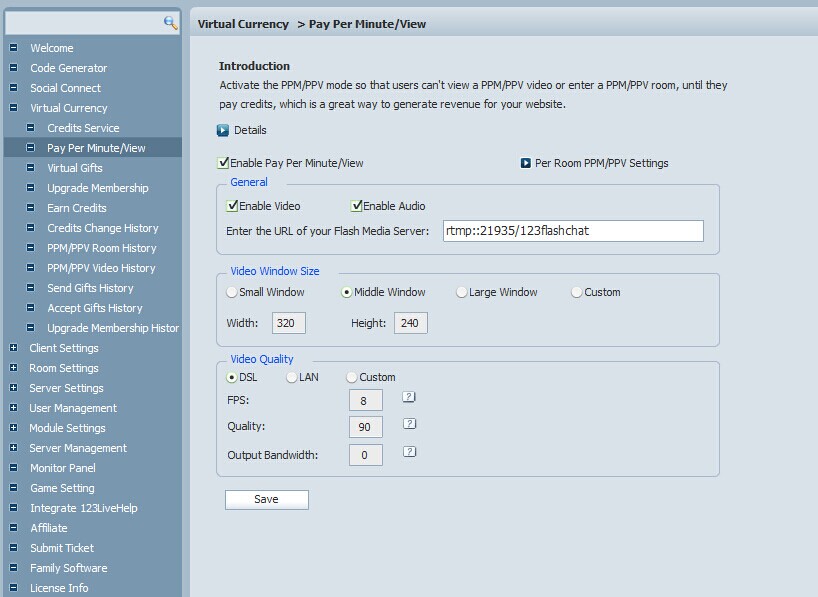
Activate PPM/PPV First
Chat admins need to activate PPM/PPV in the admin panel before they use cam show mode. Video window size and quality effect can be configured there simultaneously.
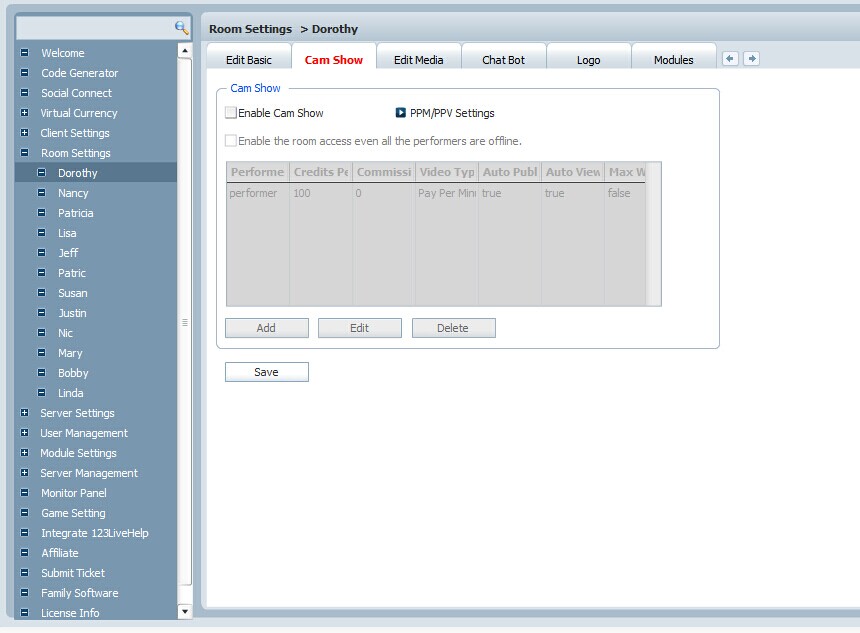
Enable Cam Show Mode
After activating PPM/PPV service you will be able to set the Cam Show mode now in the specified room by checking off the "Enable Cam Show"box. You can enable/disable the advanced feature to remain the zero-performer-on-line room accessible there as well.
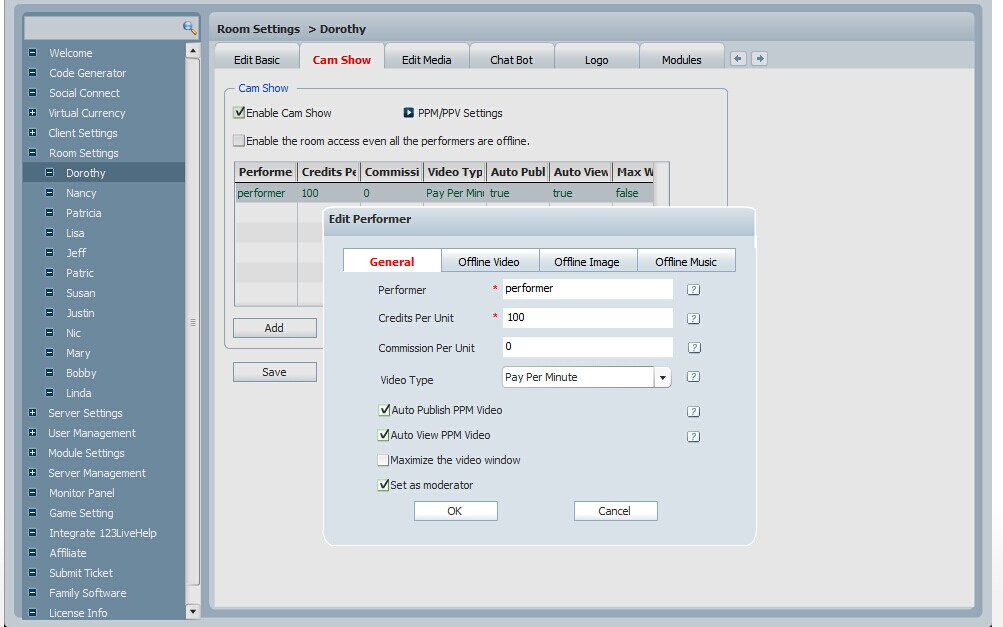
Set Offline Video/Image/Music For Performers
Admins can add performers for the room under Cam Show mode. Click "add" button, a new window will pop up where you can set the performers with how much credits and commission the performers can get per unit. Admins can also add offline video/image/music for performers by shifting the tabs. And they will work automatically when the performers are offline.
Cam Show mode is a more attractive way for chat owners to gain revenue. Thus it is a paramount feature for 123 PPV Software due to its utility. All 123 PPV Software can enable the Cam Show mode and you can contact our support at support@123flashchat.gr for any further questions.
Related Links:
Pay Per Minute
Video Chat
Credits Service
PPV Demo
Video Chat Script





